Services for your clients
Services lists what your firm offers its clients: registration, objection replies, oppositions, hearings, renewals, transfers, copyright, designs, or anything else you do. Each service has your fee, the documents it needs and its steps. Clients see your services in the client portal and the phone app, ask for one, and follow it step by step.
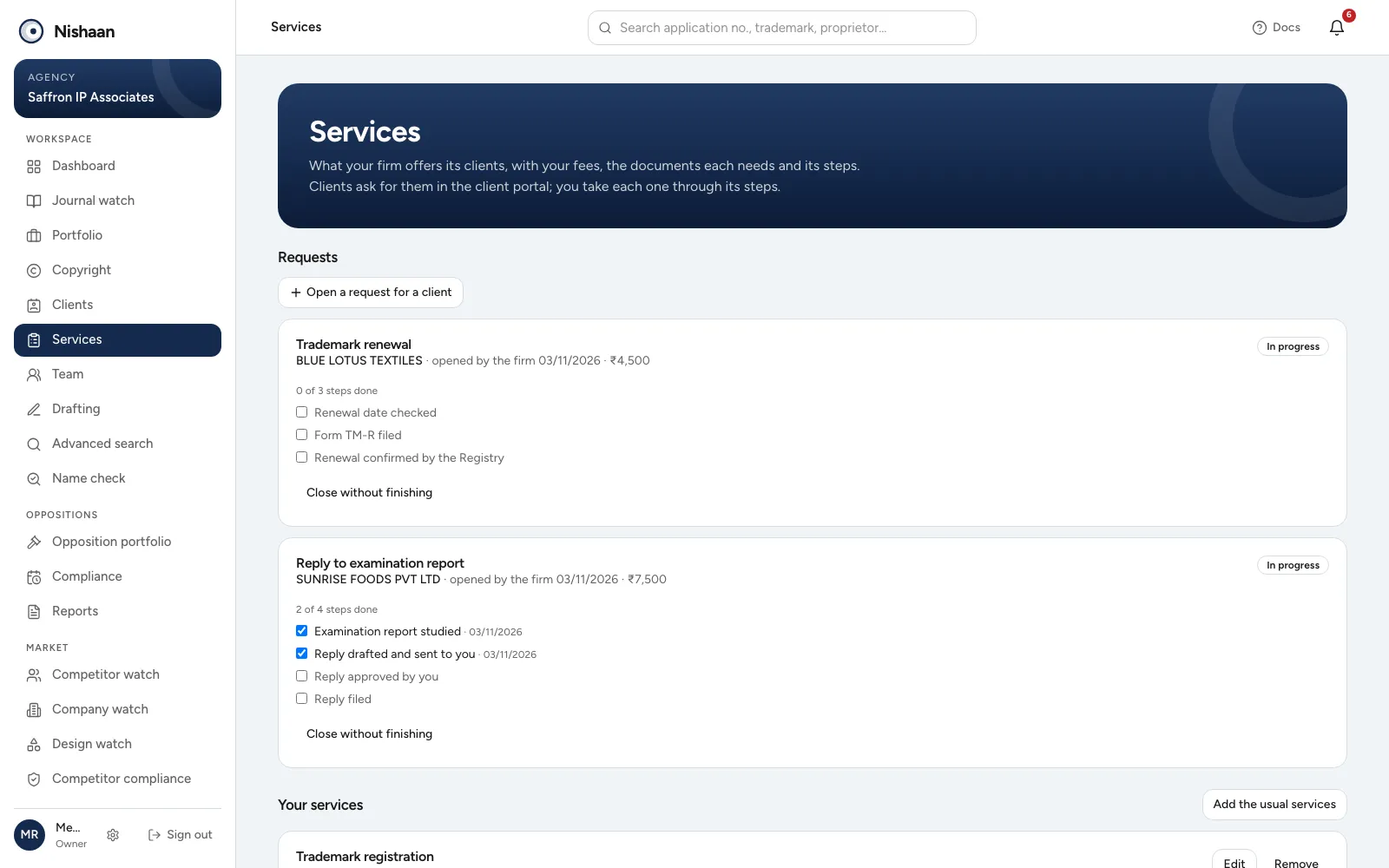
Services. Requests being worked on, step by step, and the firm's services below.
Open Services in the sidebar.
Your services
The first time, choose Add the usual services. Nishaan adds eight services most Indian IP firms offer, each with the usual documents and steps but no fee. Then open each one with Edit and set:
- Fee in ₹: what the client pays. Leave it empty for Quoted on request.
- What it is, for the client: one line the client reads.
- Documents needed and Steps: one per line.
- Show to clients in the portal: untick it to hide a service without deleting it.
Add a service adds one of your own. Only owners and admins can change the services; everyone else can see them.
Trademark registration is asked for through New filing, which takes the mark's details, so in the portal it opens the new filing form. See New filings for your clients.
When a client asks
The client's lead is told when a client asks for a service, with any note the client wrote. The request appears under Requests on the Services page.
Choose Accept to take it on. Accepting can also, in one go:
- Send the invoice for the service's fee, which the client sees in Payments; and
- Ask for the documents the service needs, which the client sees in Documents.
Untick either if you would rather do it yourself later. Decline closes the request. Either way the client is told.
A client who asked by phone or in a meeting can be given a request too: Open a request for a client, choose the client and the service. It starts accepted.
Steps
Tick each step as it is done. The client sees the steps ticked off in the portal and the app, with the date, and gets a notification for each. When the last step is ticked, the request is done and the client gets an email as well. Close without finishing closes a request that stopped half way.
Done and closed requests stay under Done and closed.